Quick Start
This section will guide you through quickly completing the first runnable workflow of Agent for LabVIEW. Content is organized around the current two main modules:
LLM: Chat, context, tool callingImageGeneration: Text-to-image, image-to-image, image-text fusion
Pre-Start Checklist
Please confirm the following conditions are met first:
Installation Guide completed
License Activation and API Configuration completed
Can see
VIRobotics -> AI Agentfunction palette in LabVIEW
I. LLM Minimum Runnable Workflow
Objective: Get the Agent to chat normally and return results.
Open example:
Help -> Find Examples -> Directory Structure -> VIRobotics -> AI AgentSelect the service provider with configured API Key
Select basic chat example (
xxbasic.vi), this manual uses Zhipu as example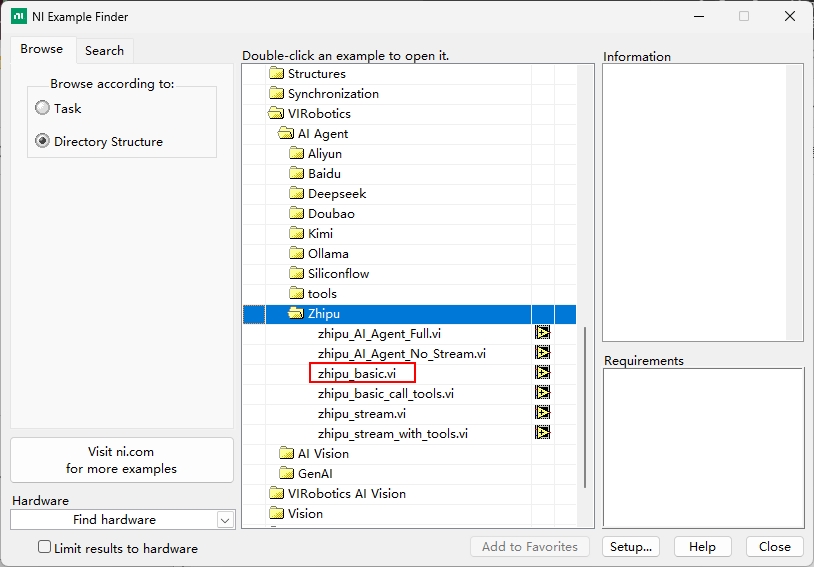
Enter a simple instruction (e.g., "Who are you")
Click Run and observe the returned result
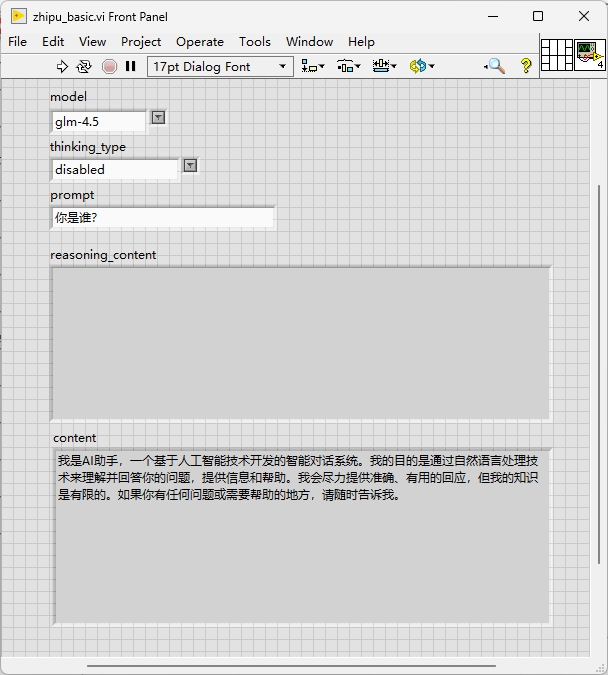
Select streaming basic chat example (
xxstream.vi), run, enter a simple instruction, click "send", observe the returned result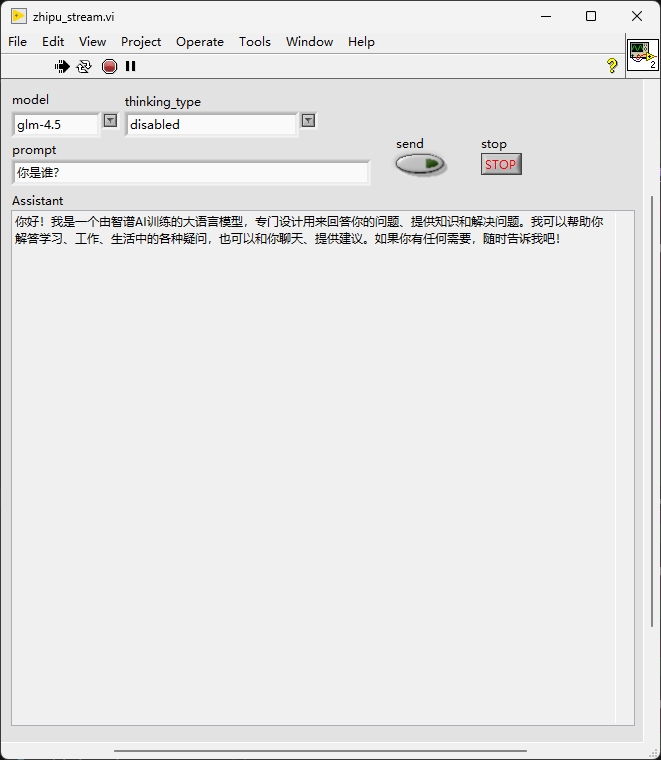
II. Comprehensive Example: AI Agent Full.vi
AI Agent Full.vi is the most important comprehensive example in the LLM section and should be run immediately after basic and streaming chat verification.
This example typically covers:
Streaming output
Tool calling (Tool Calling)
Multi-step task execution
Can be run as follows:
Open
AI Agent Full.viand runCheck tool calling
useToolsSelect tools for this session, then enter natural language descriptions containing tool intent (e.g., "Help me parse this VI"). To select all tools, click "All". To uncheck all tools, click "None".
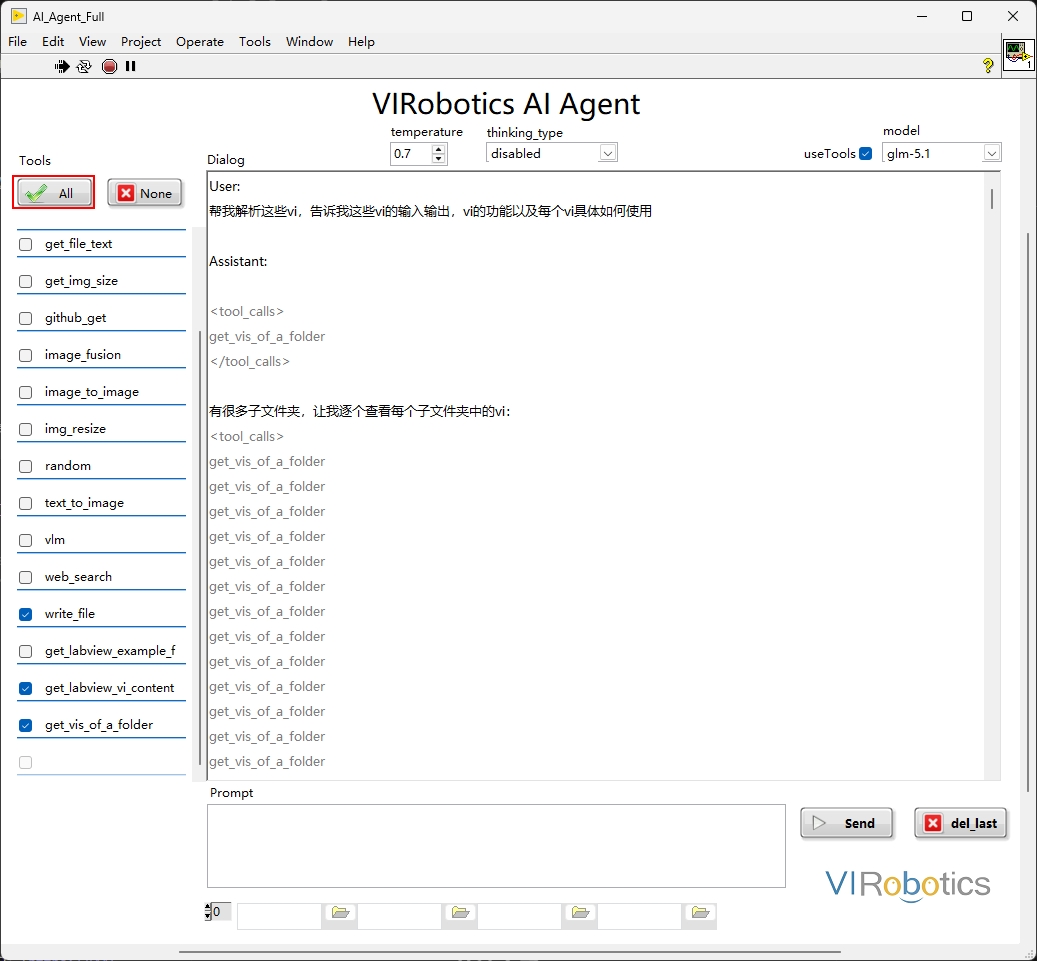
Observe whether streaming output and tool calling execute as expected.
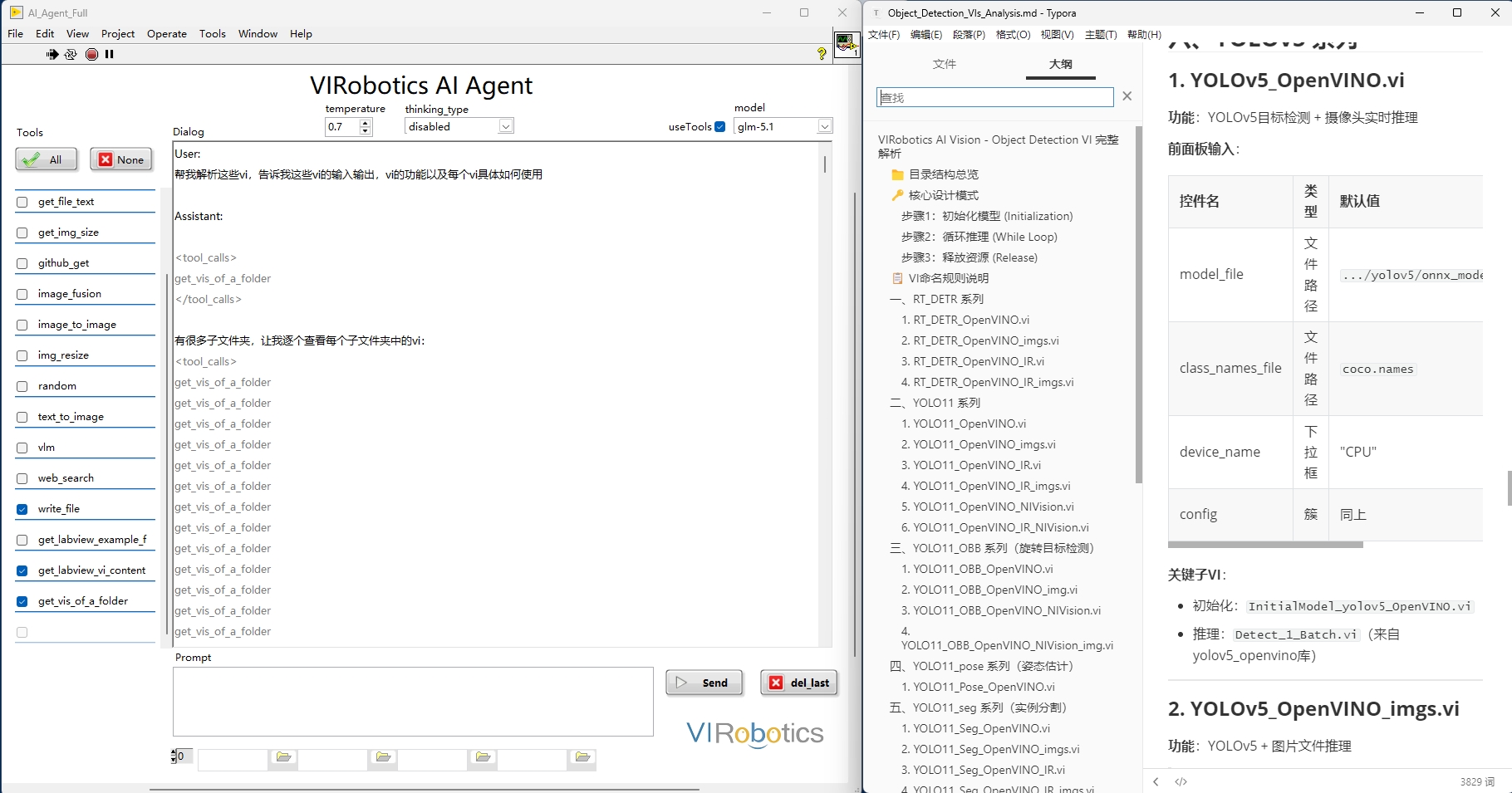
Note: Currently, ImageGeneration capabilities can be invoked by LLM as a tool, so the "understand task -> invoke image capability -> result output" loop can be verified in this comprehensive example. However, remember to activate and configure Doubao's related APIs and models.
Criteria for success:
Can receive model text response
No License errors
No API authentication errors
II. ImageGeneration Quick Start
It is recommended to verify this module in the order: text-to-image -> image-to-image -> image-text fusion.
2.0 Environment Requirements (Cannot run if not met)
Currently, ImageGeneration is primarily based on Doubao capabilities. Please complete the following first:
Activate Doubao
doubao-seedreammodelComplete Doubao API configuration in the Agent
Install Yiqi Intelligence's
AI Vision Toolkit for GPU, download: https://www.virobotics.net/product_AIVT_GPU
If the above conditions are not met, it is recommended to skip this section and prioritize completing LLM-related example verification.
2.1 Text-to-Image
Objective: Generate images through text.
Open example:
Help -> Find Examples -> Directory Structure -> VIRobotics -> AI Agent -> Doubao -> doubao_text_to_image_test.vi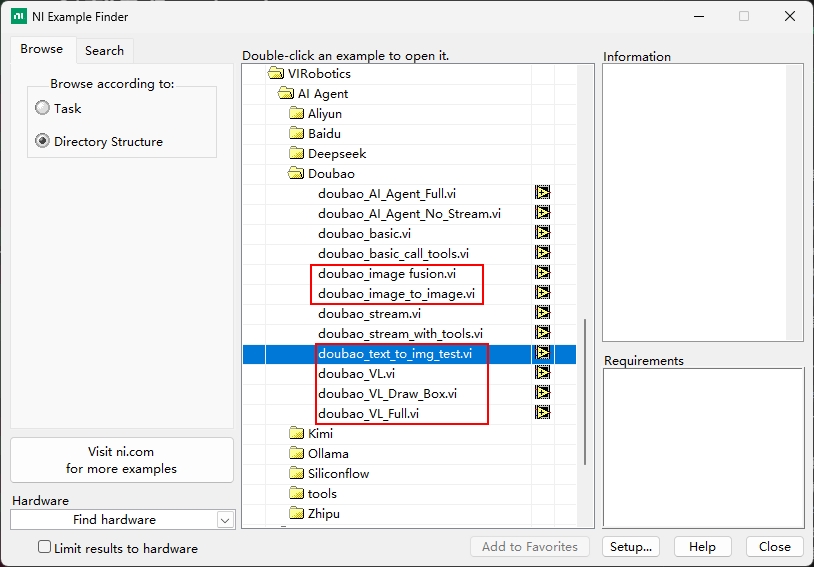
Enter image description in Prompt (subject, style, composition), set necessary parameters (size, quality, style)
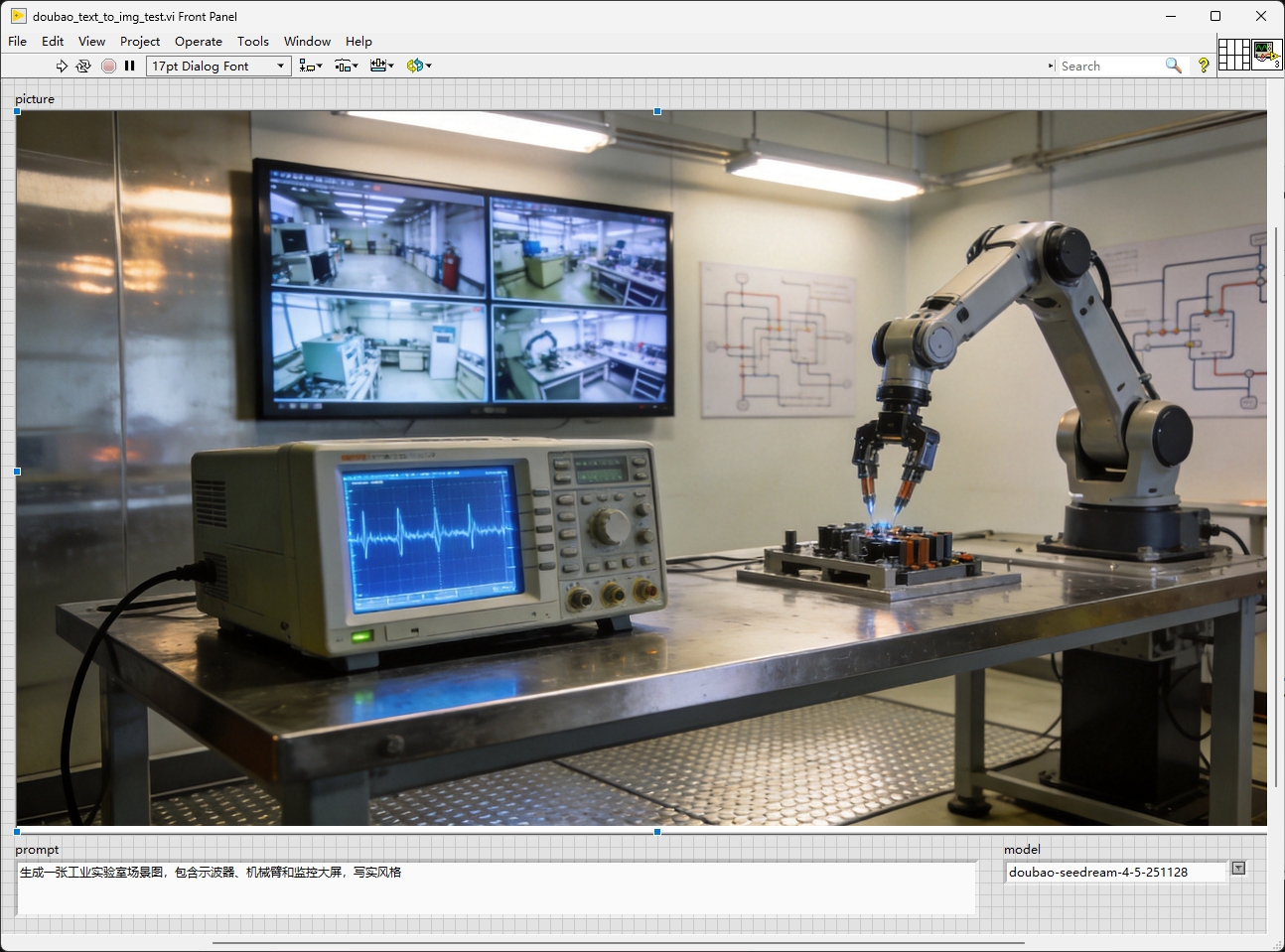
Run and check output image
Example prompts:
Generate an industrial laboratory scene image, containing oscilloscopes, robotic arms, and monitoring screens, realistic style.
2.2 Image-to-Image
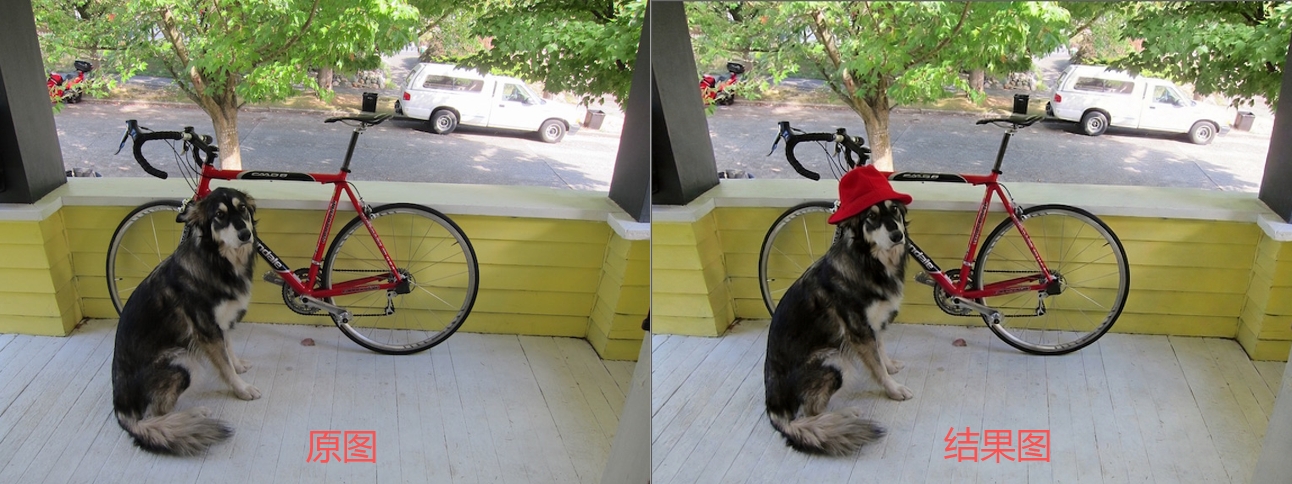
Objective: Redrawing, variant, or style transfer based on existing images.
Run VI: doubao_image_to_image.vi, load input image
Enter editing description (e.g., "Put a red hat on the dog in the photo.")
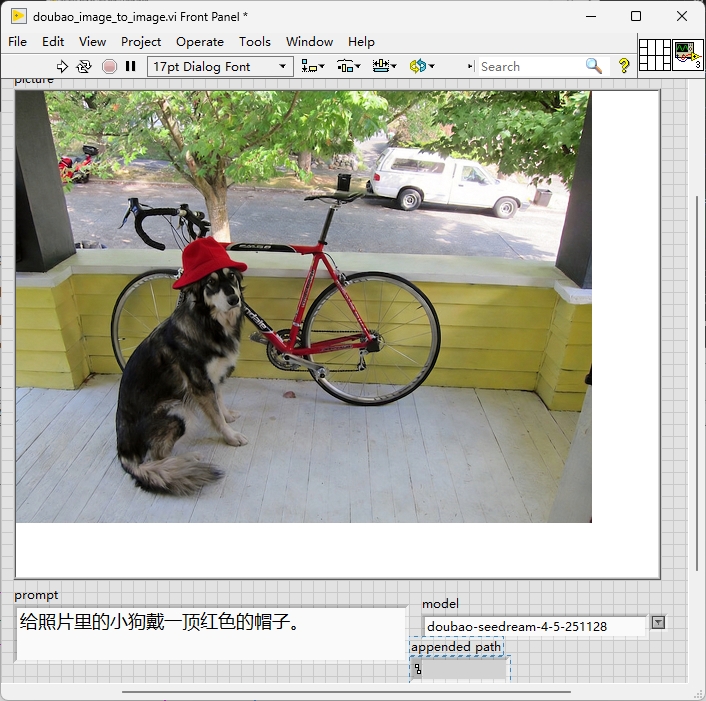
Run and compare input and output images
2.3 Image-Text Fusion
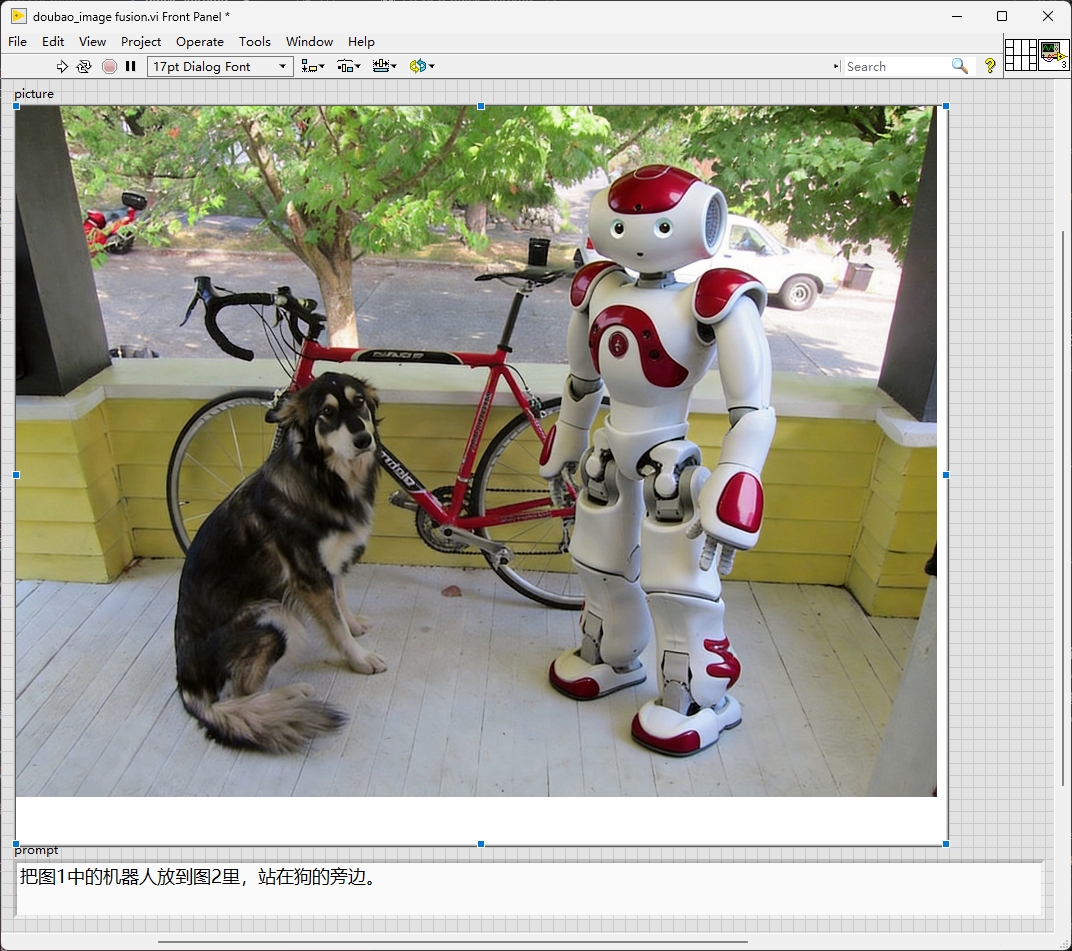
Objective: Complete targeted editing combining images and text instructions.
Run VI: doubao_image_fusion.vi, load input image
Add fusion text constraints
Run generation
Check content consistency and readability
III. LLM + ImageGeneration串联示例
Objective: Complete a minimum multi-module collaboration workflow.
Example task: "Generate an experimental workflow diagram and provide three usage instructions."
Recommended execution chain:
LLMparses task and generates image promptsCall
ImageGenerationto produce imagePass image results back to
LLMto supplement explanatory textOutput final results (image + instructions)
Common Issues and Recommendations
1) LLM can respond, but image generation fails
Check if Doubao API is activated
Check image interface quota and permissions
Shorten prompts and reduce complex constraints, then retry
2) basic runs successfully the first time, but no response the second time
Check if API key still has balance
3) basic.vi runs normally, but stream.vi returns nothing
If API is confirmed to be recharged, please contact Yiqi team at support@virobotics.net and tell us your LabVIEW version and computer system version.
Tips and Precautions
It is recommended to complete LLM verification first before entering ImageGeneration
It is recommended to use English paths to avoid potential compatibility issues with Chinese/spaces
When interface calls fail, prioritize checking: License status, API Key, network connectivity
For detailed module descriptions, refer to Module Overview
Technical Support
If you encounter issues during use, please first consult the relevant sections or contact technical support:
Technical Support Email: support@virobotics.net
Website: https://www.virobotics.net
QQ Technical Group: 664108337